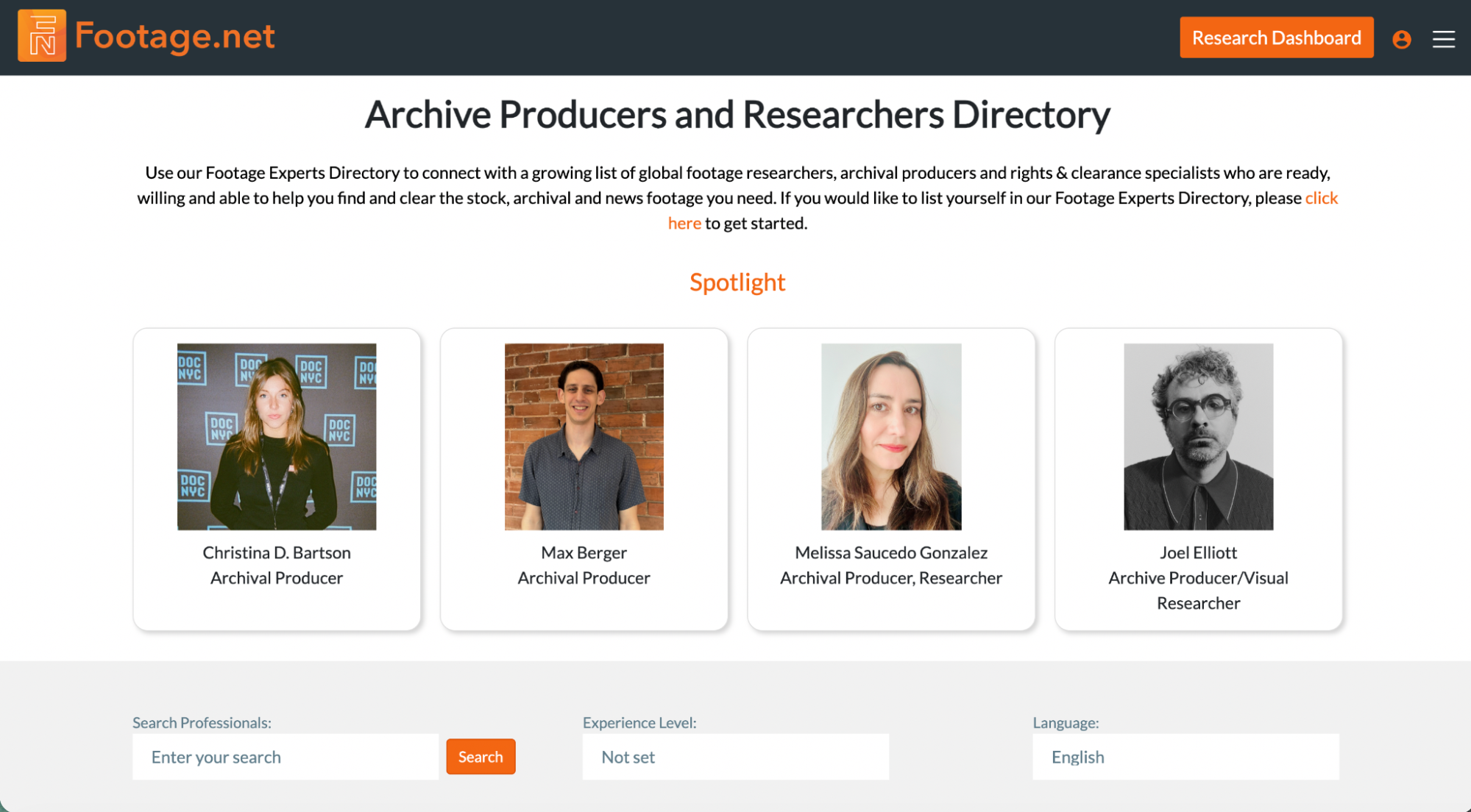
What is the Archive Producer and Researcher Directory?
In collaboration with the Archival Producers Alliance (APA), Footage.net offers a dedicated directory designed to bridge the gap between production needs and professional expertise. The Archive Producer and Researcher Directory allows industry professionals including archival producers, researchers, and rights specialists to showcase their unique skill sets to a global audience of filmmakers and content creators.
A Community Driven Resource
Footage.net provides this directory as a free discovery service. Our goal is to foster a more connected archival community and provide a centralized hub where the industry can source the “perfect partner” for every stage of the footage lifecycle, from initial discovery to final licensing.
Costs associated with Archivist and Resource support will depend on the individual. This tutorial will explain how to find, contact and engage with the right researcher.
Getting Started: Accessing the Directory
1. Prerequisites
Authentication Required: You must be logged into your Footage.net Account.
Once logged in, there are two primary locations to initiate your professional profile:
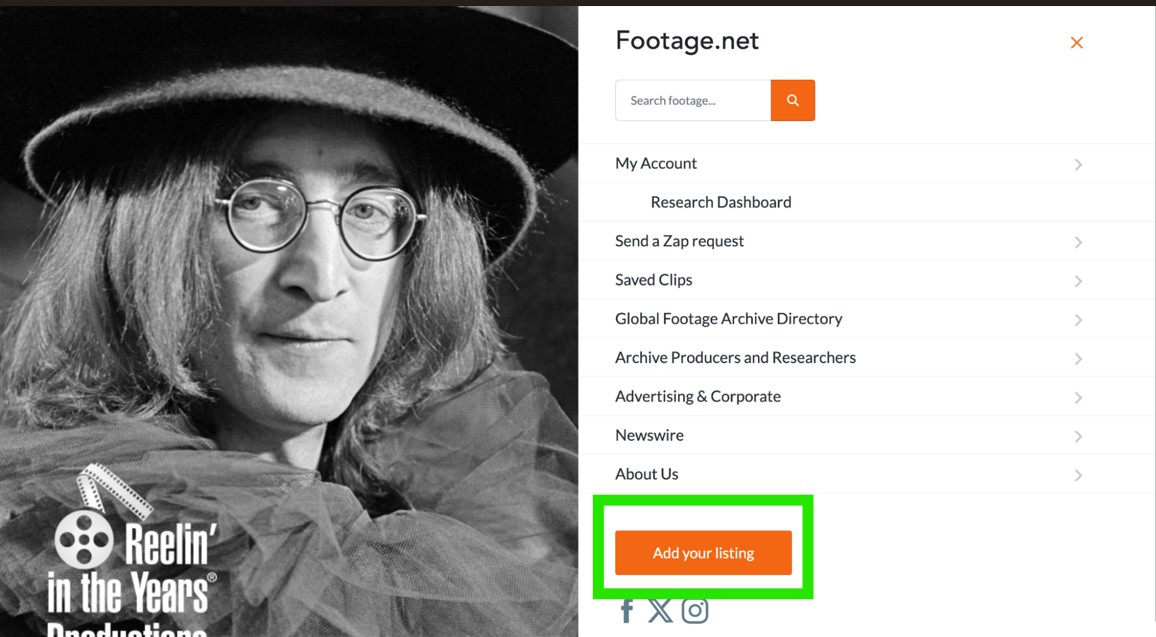
The Account Dashboard: Click the “Hamburger” icon (top right), navigate to your Account Page, and look for the directory management section.
The Global Footer: Scroll to the bottom of the Footage.net Homepage, where you will find the “Create a Listing” link.
The green box indicates where to locate the "Add your listing feature" in the main navigation.
3. Initialize
Click the “Add Your Listing” button to open the professional data entry form.
Initializing Your Registration
1. Select Your Profile Type
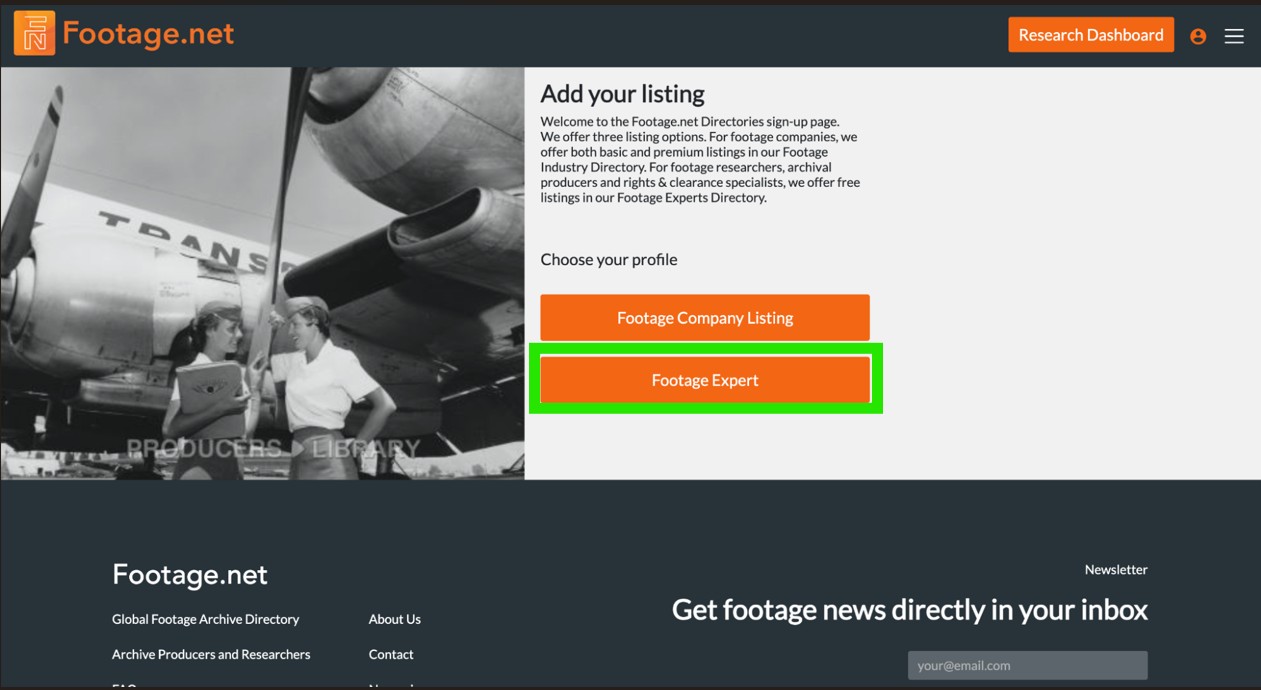
Click the “Footage Expert” button to officially begin the registration process.
Selecting this path opens the specialized data entry form tailored specifically for media professionals instead of creating a directory listing for Archive Directories.
The green box highlights which link to click on to create your listing.
2. Complete the Form
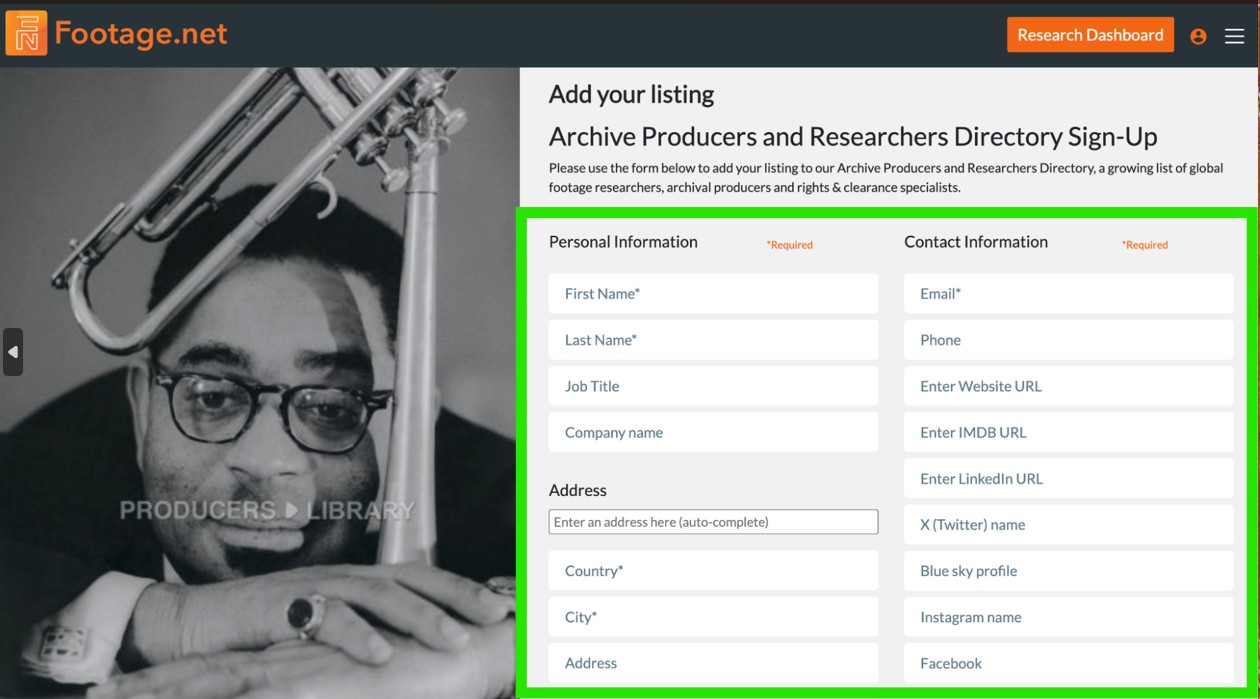
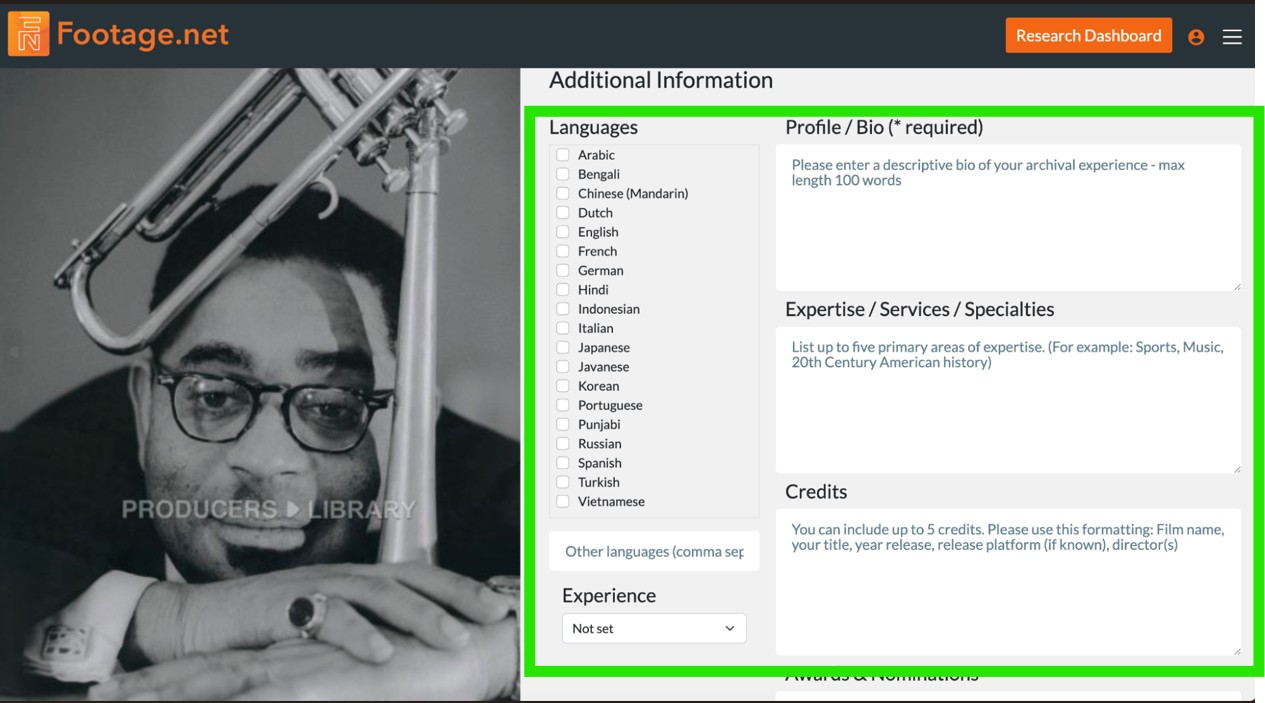
The entry form is specifically designed to help you optimize your listing. The more detailed you are with each field the more visible your profile will be to Footage.net features and in traditional search engines. Fields with asterisk are required.
Enter your information into the fields highlighted with the green box.
This is one of the most important parts of your bio. Be descriptive to maximize visibility on Footage.net and in search engines.
3. Password and Verification
To keep your data secure, we require a unique password for your listing. You can choose whatever password suits you best, but it is different than the password you use to log into your footage.net account.
Once you’ve selected a password, verify you are human by typing in the specific letters in the Captcha box into the “Input Symbols” field. Click “Save New Listing” to move to the next step.
4. Upload Your Photo
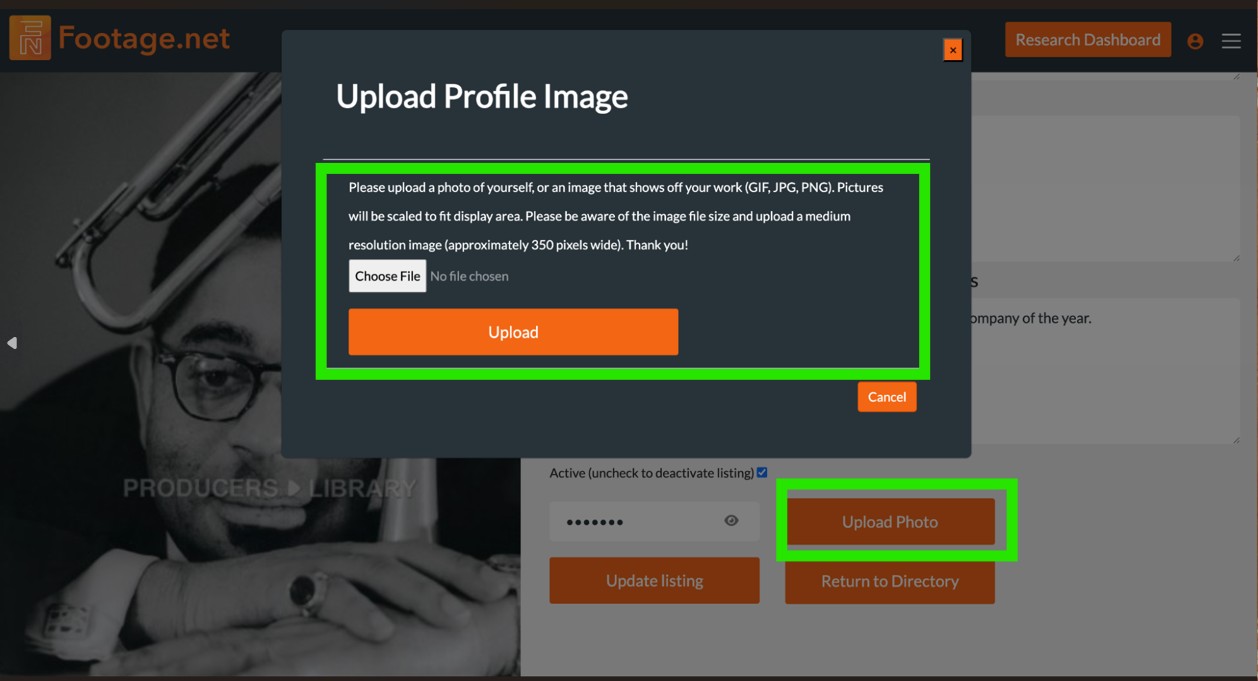
Once you have saved your listing then a new button will appear to prompt you to upload a photo. We highly recommend uploading a photo of yourself to improve engagement.
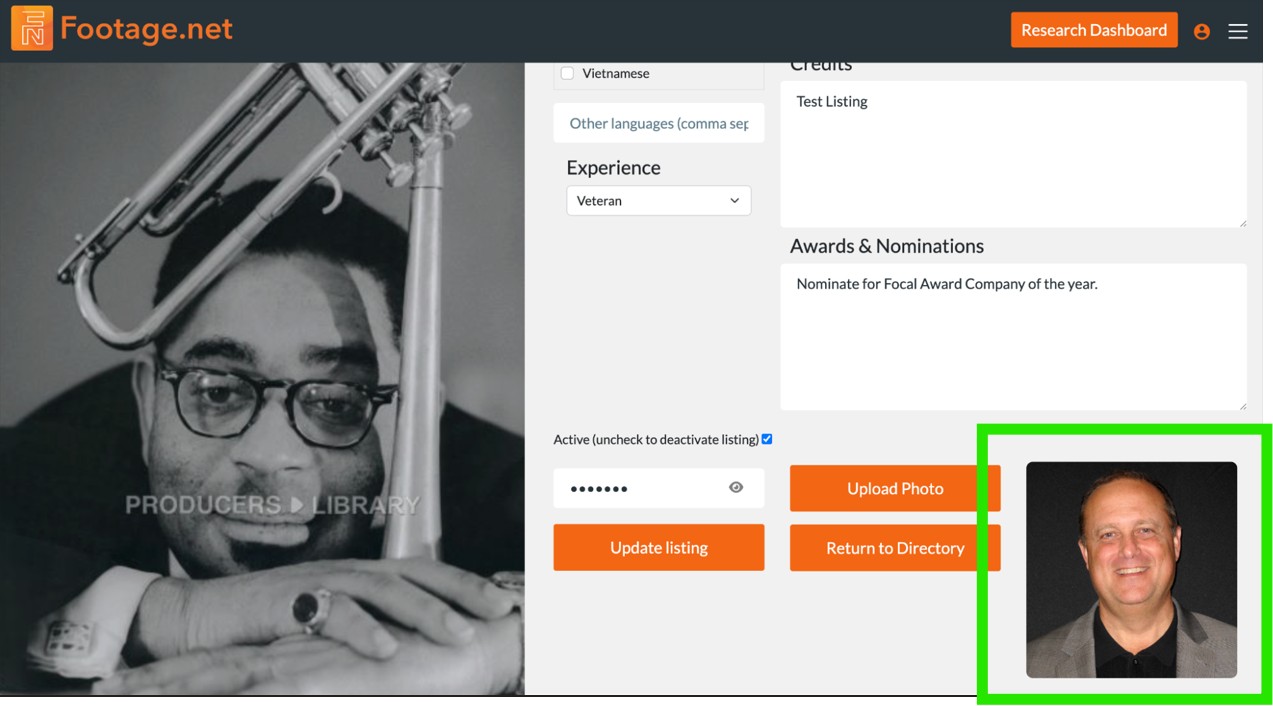
After you upload your photo you are good to go! Your profile will be published immediately after saving.
Click on "Upload Photo" then follow instructions in pop-up window to upload.
If you see your photo upload after saving then your listing is good to go.
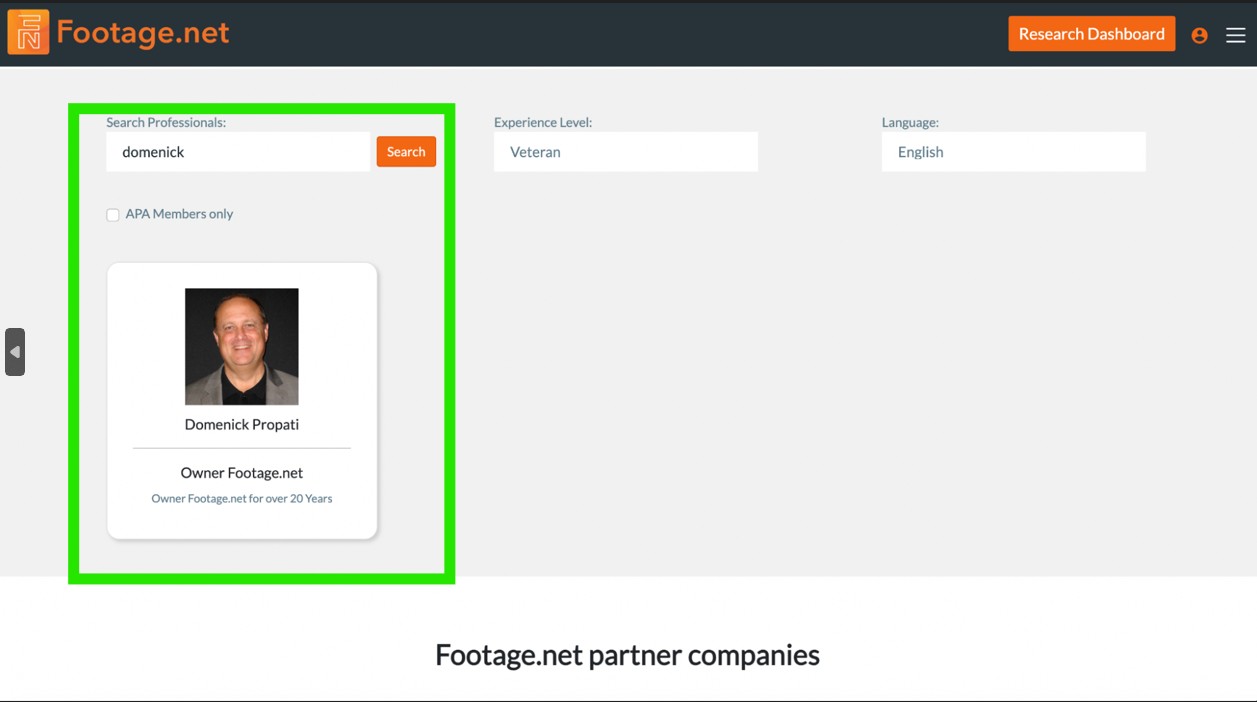
How to View Your Live Listing
Once your profile is active, there are two primary methods to locate and share your public directory page:
1. Direct URL Access (The Name Slug)
Every professional listing is automatically assigned a SEO-friendly, unique URL based on your first and last name.
The Pattern:footage.net/archive-producers-and-researchers/first-name-last-name
Example: If your name is Jane Doe, your direct portfolio link will be footage.net/archive-producers-and-researchers/jane-doe
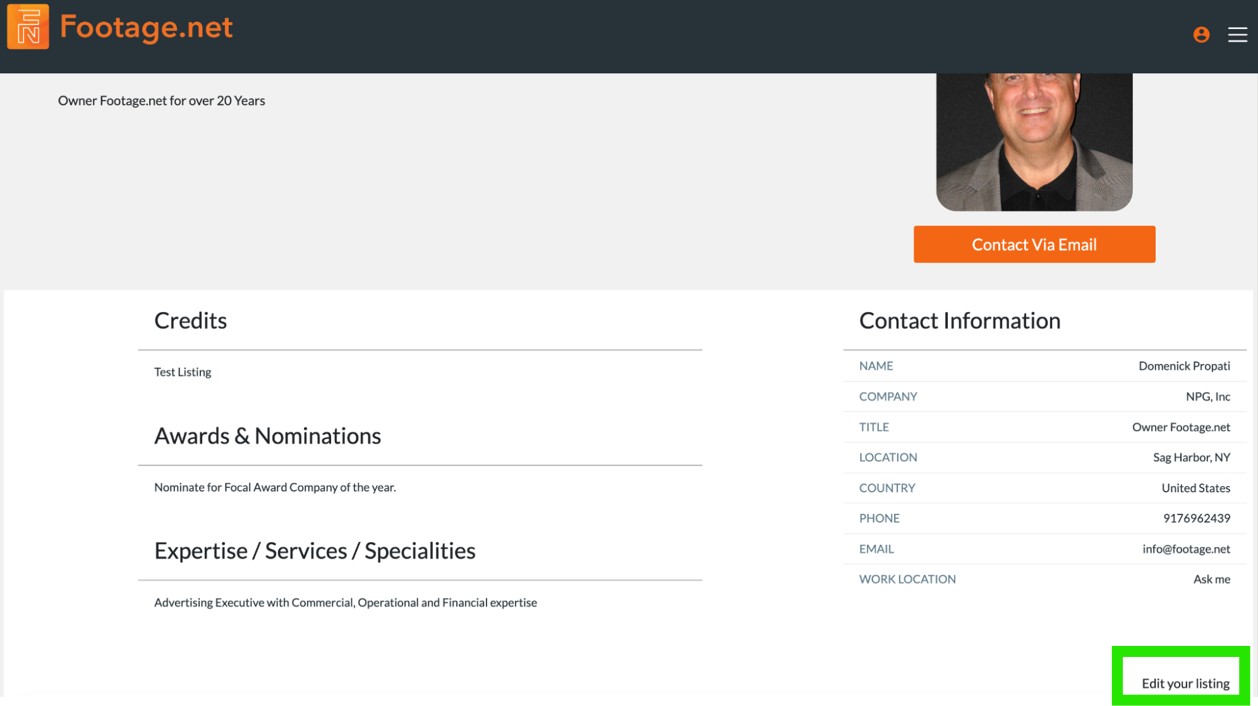
Locate the "Edit your listing" link at the bottom of your profile page and login.
Editing Your Listing
Updating your availability, skills, or contact information is straightforward.
Locate the Edit Link: Visit your public profile page and look for the “Edit your listing” link in the bottom right-hand corner.
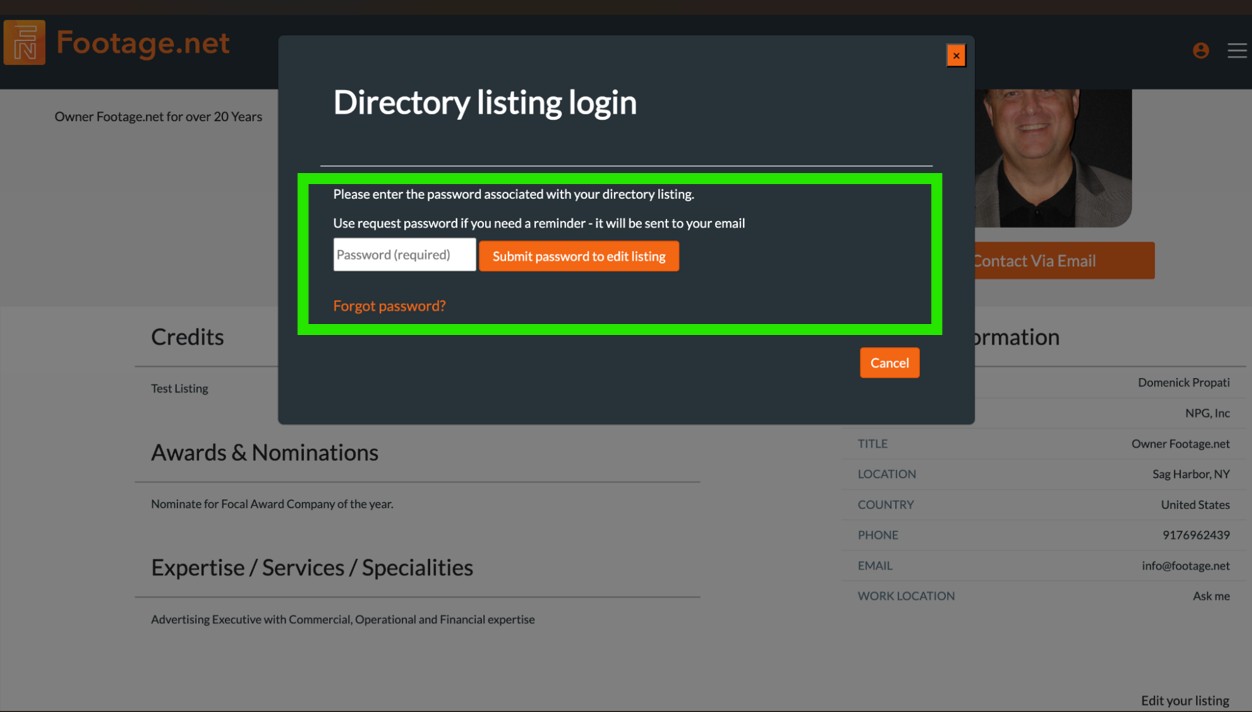
Authentication Gate: You will be prompted to log in.
⚠️ Important Security Note: The directory management system utilizes its own security layer. You must enter your specific Directory Credentials (the password created for your listing) rather than your standard Footage.net Account password.
Remember to use your directory password and not your account password.
Congrats! You Are Now Part of the Footage.net Archive Producers & Researchers Directory
At this stage your profile should now be complete. If you have any questions or recommendations for improving our experience feel free to email us at info@footage.net.