

Connecting Your Archive to the Global Production Community
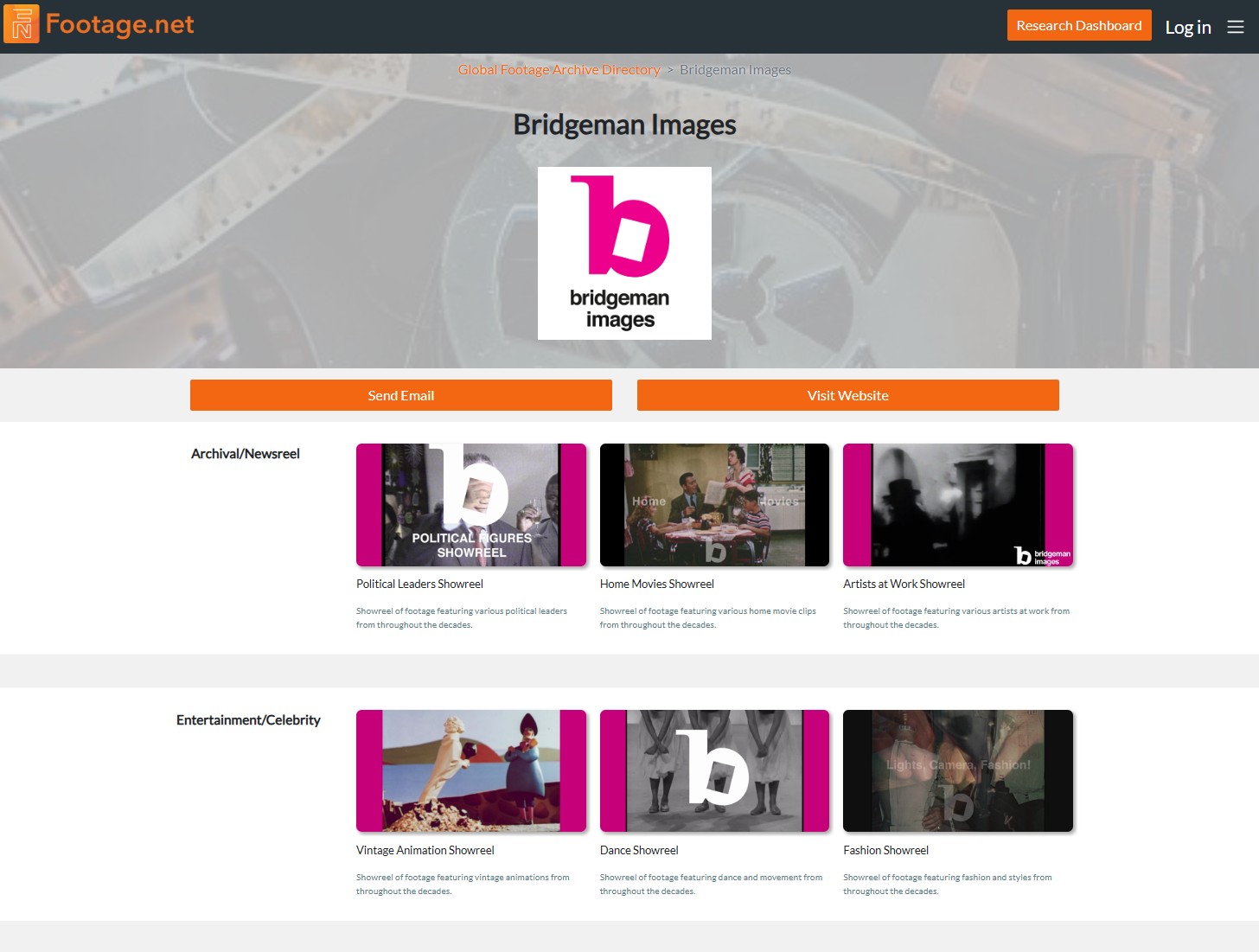
Footage.net is the creator and host of the world’s only comprehensive Global Footage Archive Directory. The archival video marketplace is highly fragmented, ranging from massive multinational distributors representing thousands of brands to small, independent footage collections that possess rare historical gems but are difficult for producers to discover.
Footage.net believes that the industry should have a centralized platform where every archive is represented along with their specialty. To foster growth and support the broader archival research community, you can create a directory listing for free.
The Benefits
For footage libraries and rights-holders, a verified profile is a powerful visibility tool. The Footage.net Global Archive Directory drives over 200 high-intent referral links every month, routing professional archival producers directly from our directory search results to the external websites of partner archives.
This tutorial will walk you through the process of publicly listing your business to the Global Footage Archive Directory.
How to Add Your Listing
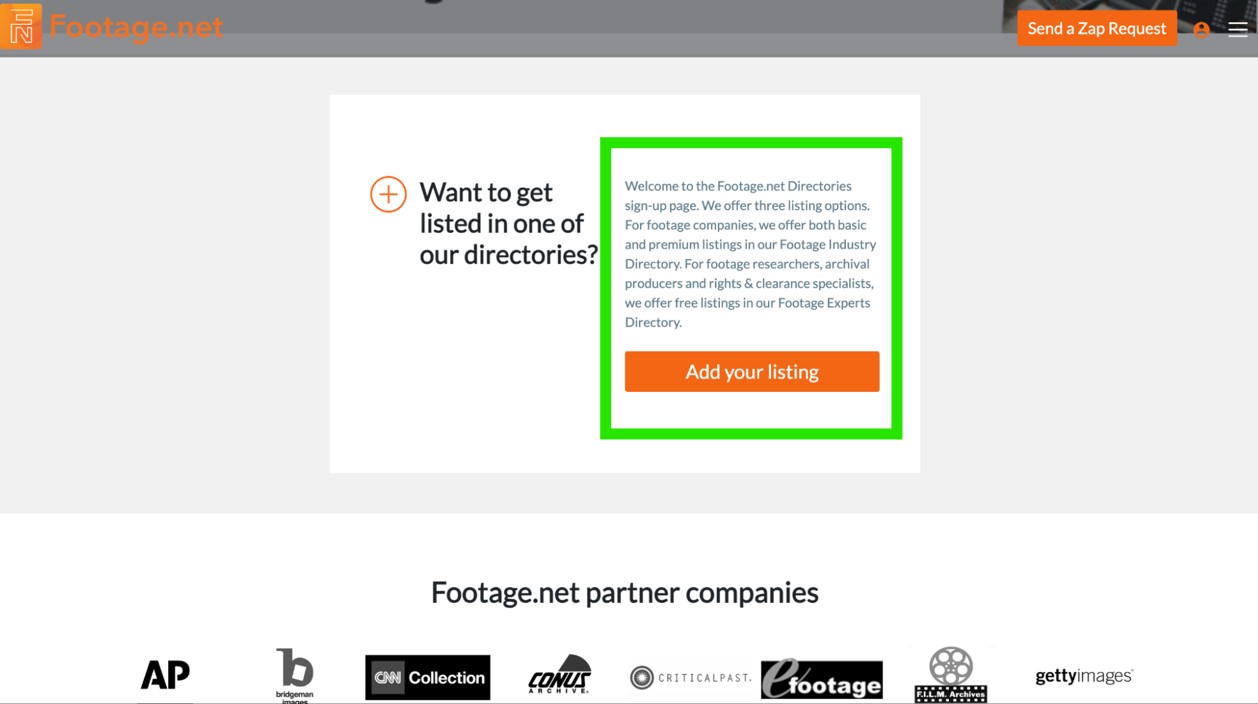
Step 1: Locate the Sign Up Button on the Homepage or in the Main Navigation
There are two distinct places where you can submit your listing.
- The Main Navigation Menu (Site-Wide Access) –Click on the hamburger menu icon (represented by three horizontal lines) located in the upper right-hand corner of any Footage.net page.
- Select the Submission Action: At the bottom of the expanded navigation drawer, locate the prominent orange button labeled “Add Your Listing.” Clicking this button routes you directly to the directory onboarding portal.
- The Homepage Callout Box
- Navigate to Homepage: Scroll toward the lower section of the main Footage.net homepage.
- Identify the Portal Location: Positioned strategically below the Footage.net general FAQ section and directly above the “Partner Companies” showcase, you will find a dedicated B2B acquisition callout box.
- Select the Action: Click the orange “Add Your Listing” action box to open the portal interface.
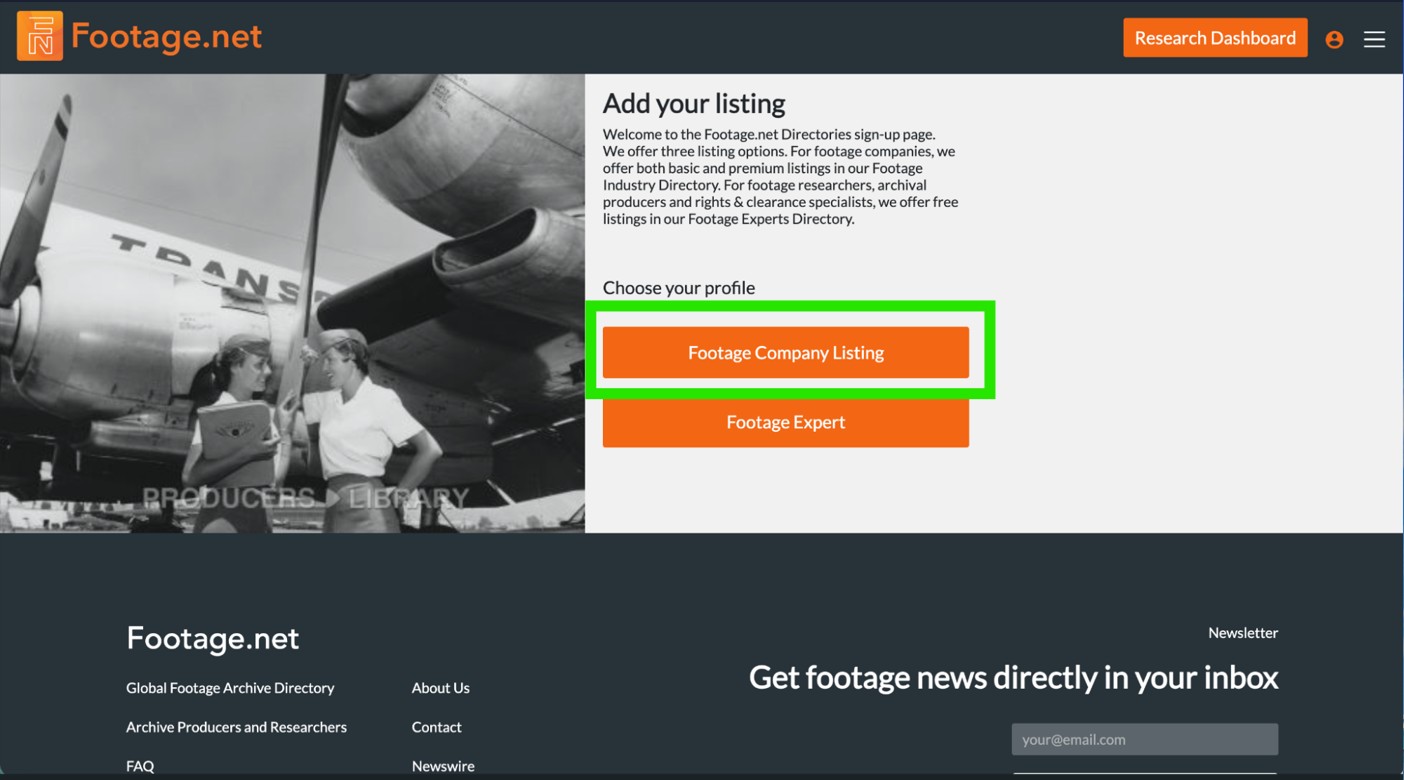
Step 2: Select “Footage Company Listing”
There are two options to create profiles on Footage.net. If you are a business looking to list your company (this tutorial), you would select “Footage Company Listing”.
For archive producers, researchers, and freelancers – you would select “Footage Expert” and follow a different process (see our tutorial on how to become a member of the Archive Producers and Researchers directory.)
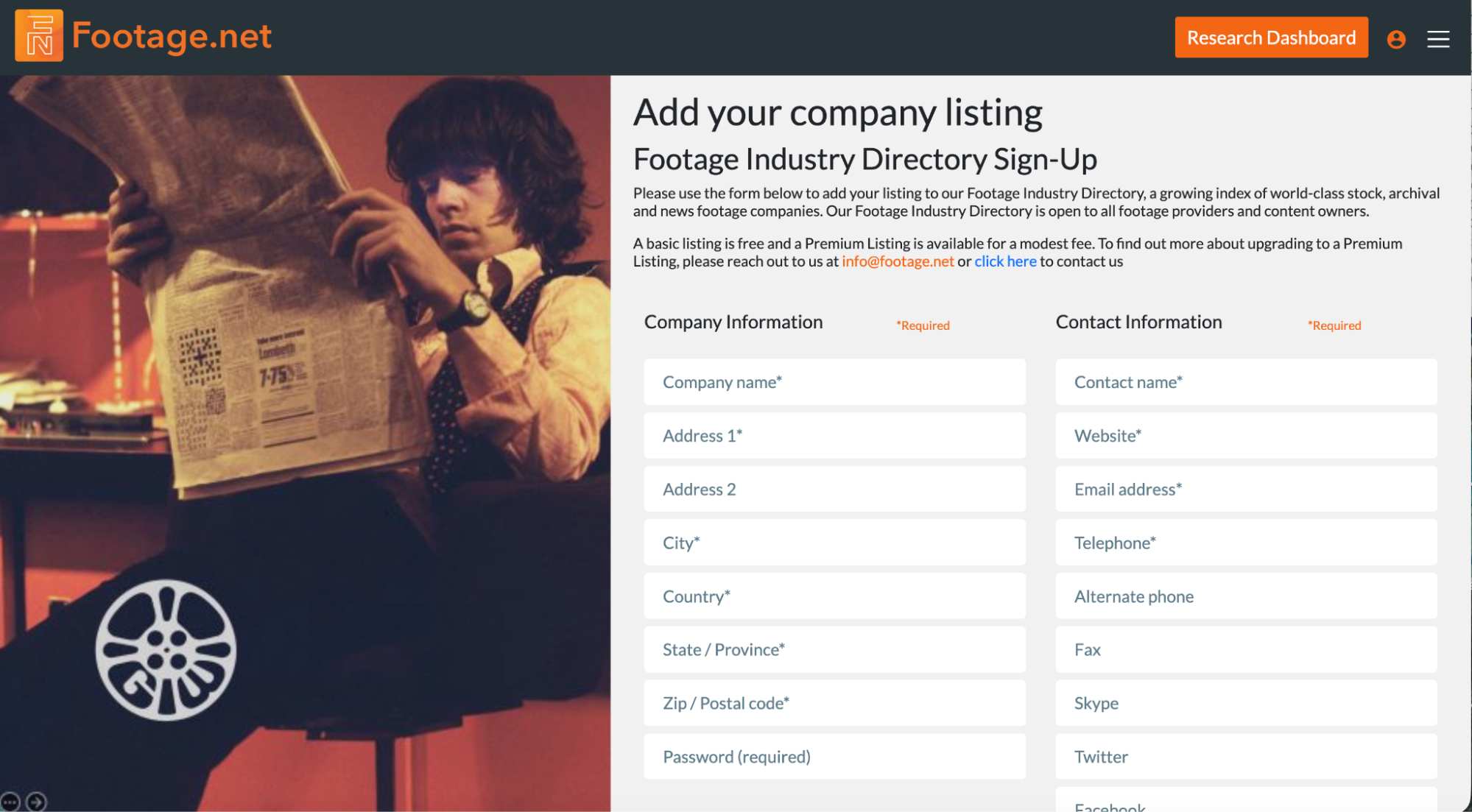
Step 3: Complete the Registration Fields
The registration form is meant to be comprehensive, as a majority of this information will be baked into your directory profile. Fields with asterisks are basic requirements that must be filled out.
The remaining fields are optional, but help make your profile more visible and engaging to users.
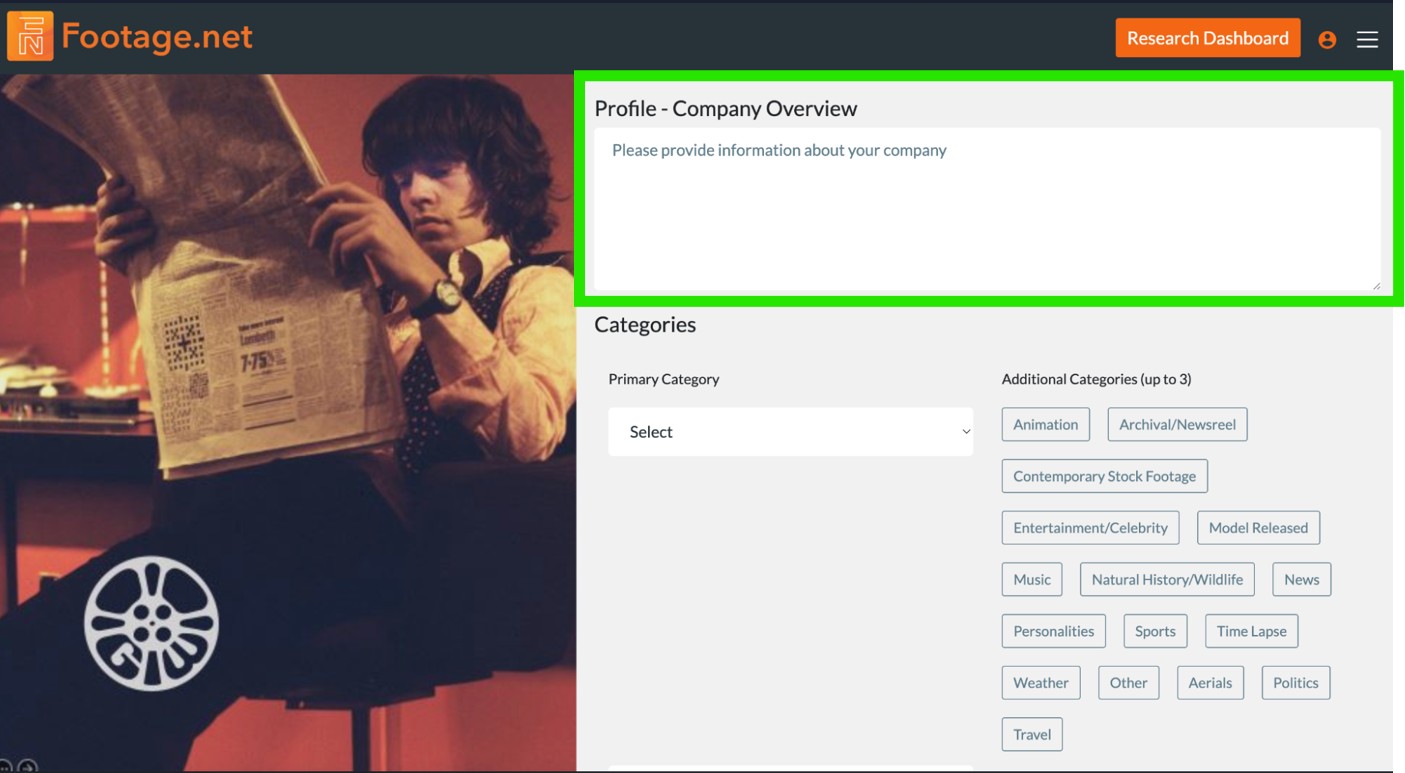
Step 4: Craft a Detailed Company Overview for Semantic Visibility
While the Company Overview field is technically optional within the entry form, completing it is one of the most critical actions you can take to optimize your presence. Providing a robust, data-rich description creates substantial advantages across machine-learning models, search algorithms, and human workflows.
Filing out a comprehensive overview offers three primary advantages:
1. AI Knowledge Graph Integration & Long-Tail SEO
By inserting your business details into the Footage.net ecosystem, you establish a semantic connection between your brand and an established authority in archival video. This pairing enables search engines to surface your archive for highly specific, “long-tail” search queries (e.g., “1970s localized industrial footage”) that your independent website might not rank for alone. Furthermore, Footage.net serves as a trusted third-party directory entity, providing external validation that modern AI retrieval engines rely on to verify business legitimacy.
2. User Engagement and Enhanced Click-Through Rate (CTR)
For archival producers, researchers, and content creators unfamiliar with your boutique collection or agency, this field acts as your primary introduction. Use this space to define your niche, historical scope, and unique licensing parameters. A compelling, clear narrative builds immediate trust, increasing the probability that a user will click through to your external website to convert.
3. Future-Proofing for Footage.net Website Upgrades
As Footage.net continues to enhance its platform offerings, having a robust company profile will likely help with future visibility. Maintaining a fully realized directory listing ensures your business remains positioned for maximum visibility as new filtering options, featured category placements, and layout upgrades are deployed.
Pro-Tip: Optimize for AI Ingestion with Unique Copywriting
Avoid copy-pasting the exact text found on your website’s “About Us” page or other third-party review platforms. Providing original, distinct copy gives AI web crawlers unique information to index, increasing your overall digital footprint.
To maximize your return, tailor your copy to the Footage.net core audience. Explicitly highlight your:
Unique Value Proposition: What makes your footage archive indispensable?
Core Areas of Expertise: Specific historical eras, formats (e.g., 35mm, VHS, 4K), or geographic regions.
Industry Specializations: Documentaries, broadcast news, commercial advertising, or academic research.
Step 5 : Select Primary & Secondary Categories for Your Business
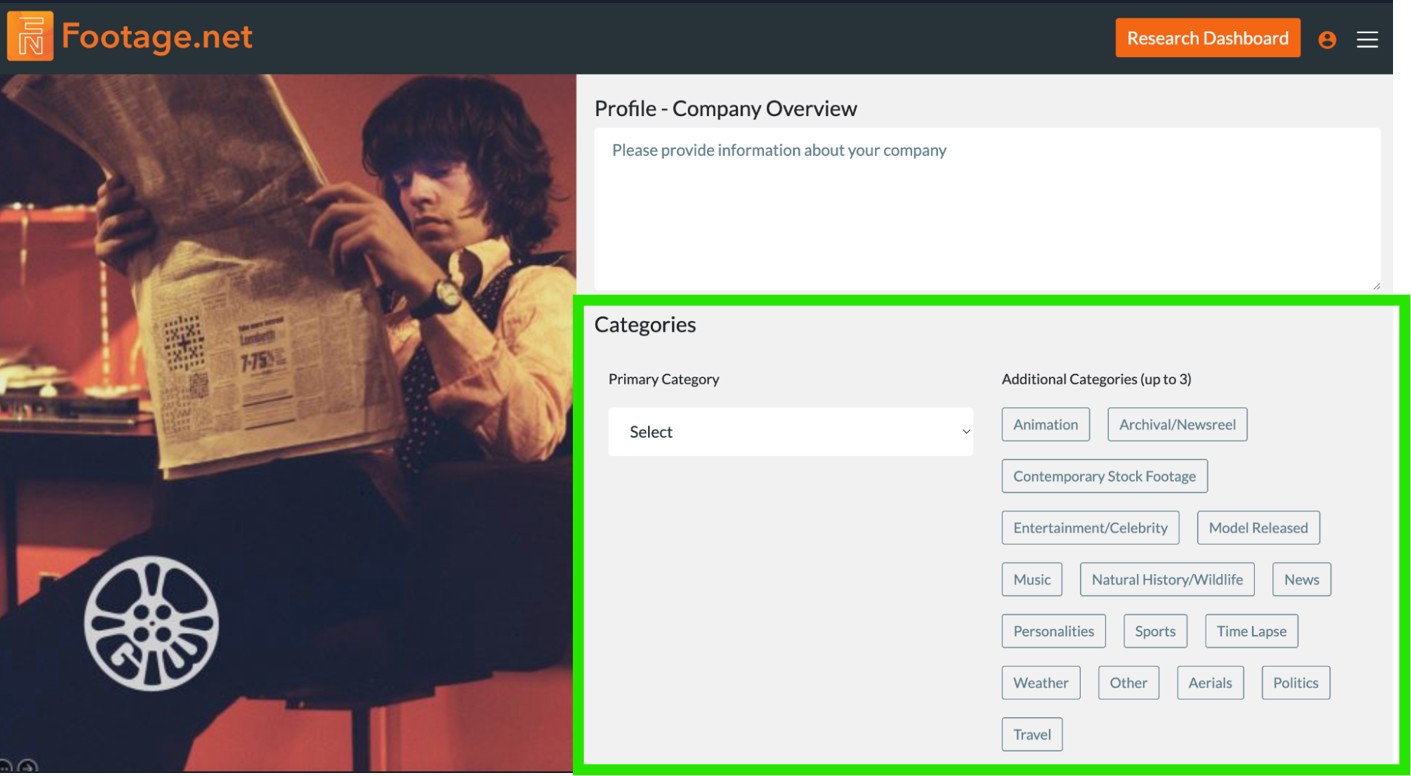
The Footage Archive Directory is powered by various filters and categorization. This is a critical opportunity to ensure your brand is showing up where it’s supposed to.
There are 17 categories to choose from. You are allowed one primary category and up to three (3) secondary categories.
- Aerials
- Animation
- Archival/Newsreel
- Contemporary Stock Footage
- Entertainment/Celebrity
- Fashion/Style
- Model Released
- Music
- Natural History/Wildlife
- News
- Politics
- Personalities
- Sports
- Time Lapse
- Travel
- Weather
- Other
Tip – Footage.net users are often looking for very specific clips and archive specialties. If your business falls under a specific niche, we recommend making the most relevant your primary category.
Step 6 : Verify You are Human and “Save Listing”
The last step in the form is to verify you are human and to keep listings from being automatically generated. Simply type in the letters you see in the Catpcha form and enter them into the “Input symbols” field below.
Once finished, click “Save Listing”.
How to Locate & Edit Your Listing After Publishing
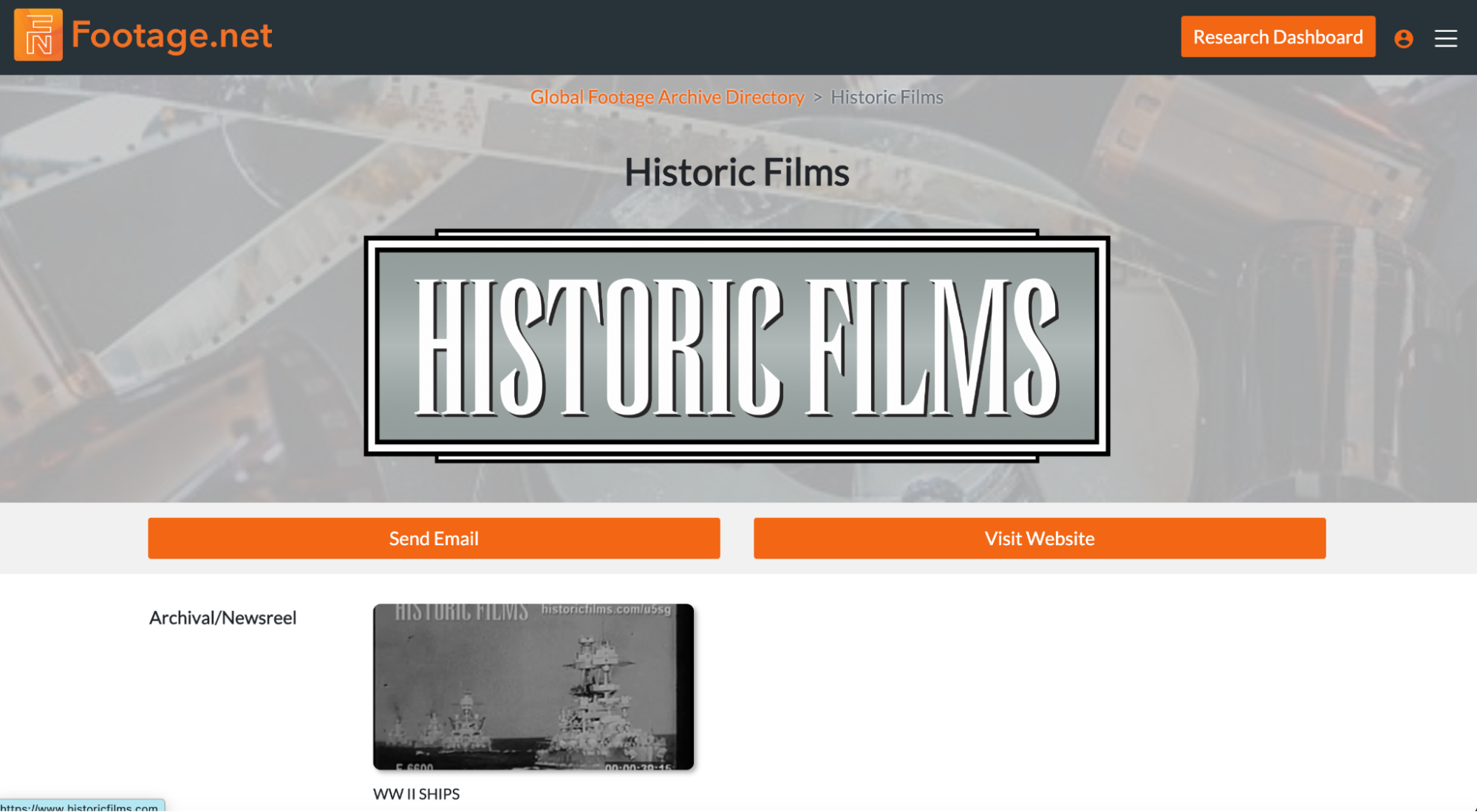
After your listing has been published you may want to go back and edit it. Over time you may also realize that you want to optimize your messaging or categorization to drive more leads from a particular type of user.
Locating and editing your listing is simple.
Step 1: Find Your Listing Page by URL or By Visiting the Global Footage Archive Directory
- Every listing comes with its own unique URL. Your URL should be your business name with a dash representing any spaces.
- I.e. “Example Production Archive” would be found at https://footage.net with the extension /global-footage-archive-directory/example-production-archive
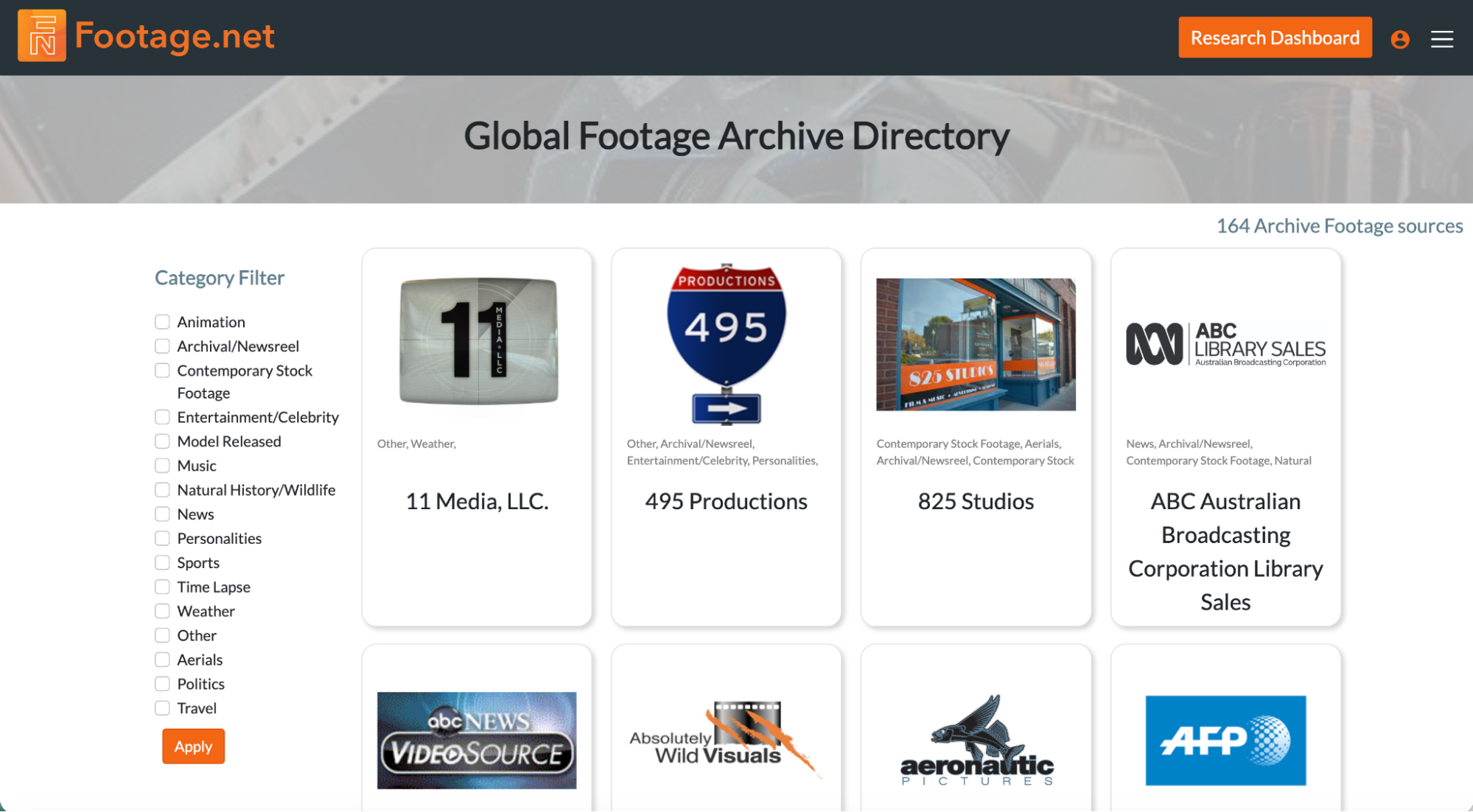
- You can also find your archive by visiting the Archive Directory (which is listed alphabetically by default).
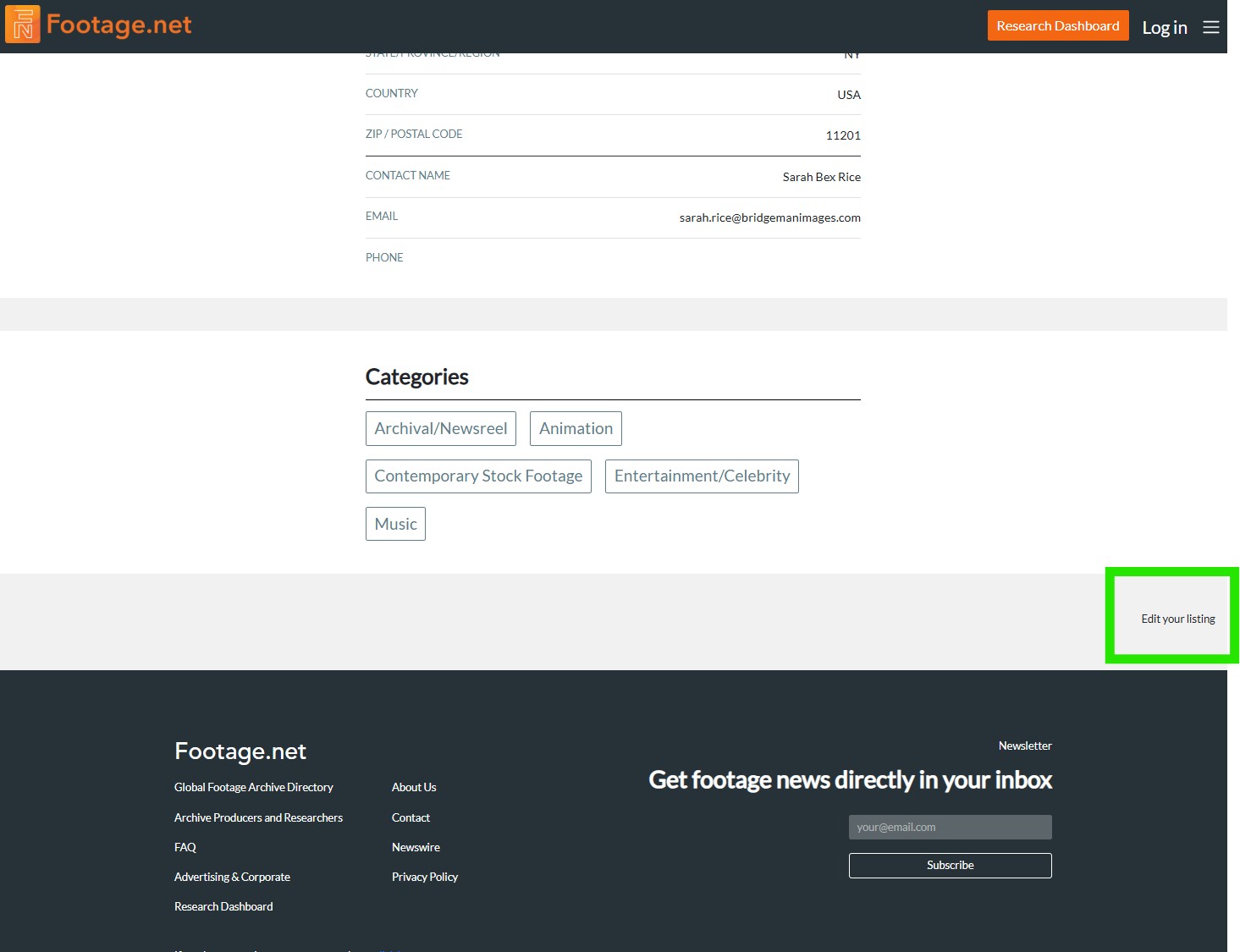
Step 2: Click On Your Directory Listing Locate the “Edit” Button at the Bottom of the Page
An “Edit Your Listing” option will appear at the bottom below the “Categories” section.
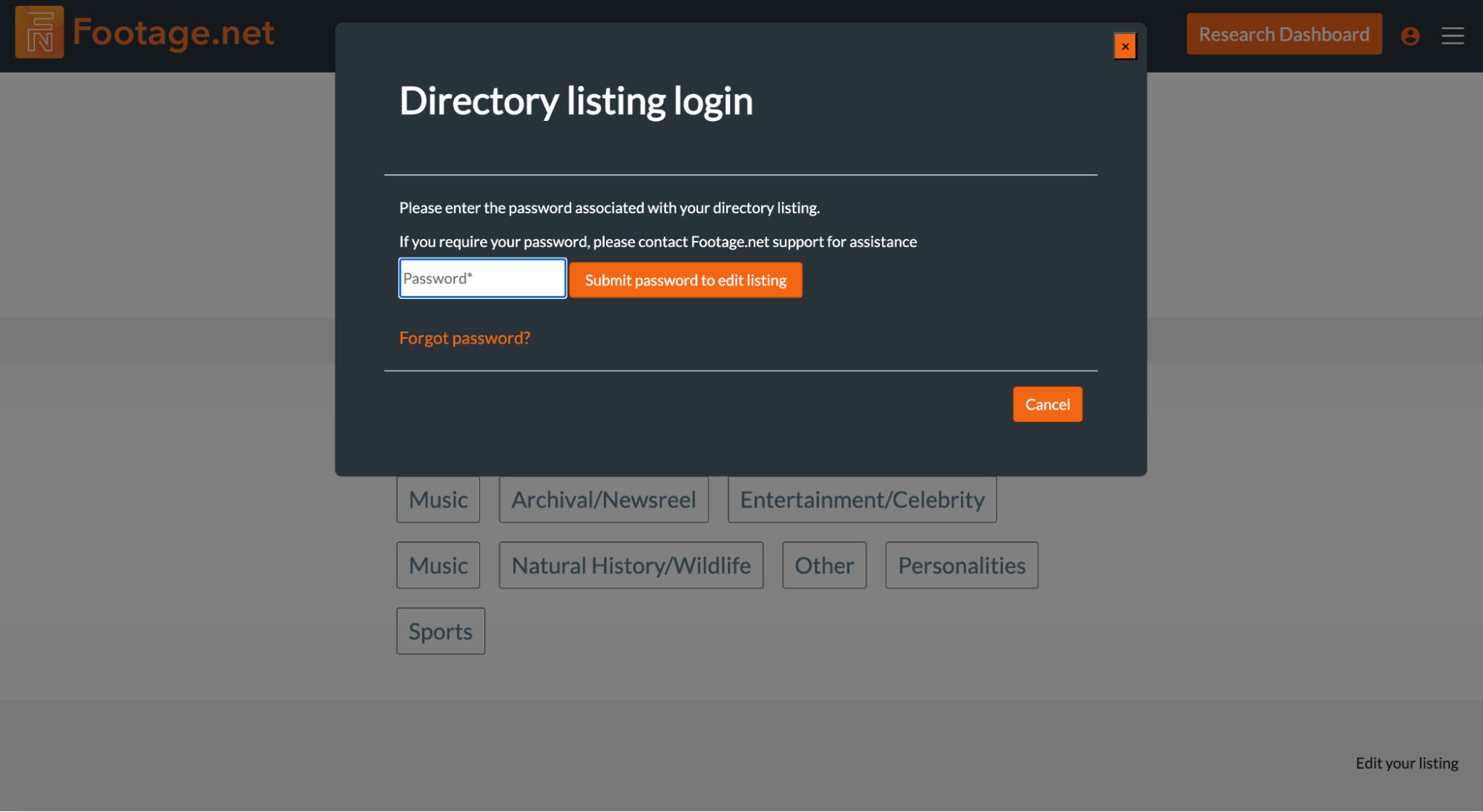
Step 3: Log In & Edit Your Listing
Once you click on “Edit Your Listing” you will be prompted to sign in with your username and password. Fill in those details to gain access to your company profile. You will be taken to the same form fields you filled out when creating your listing. Simply update whatever fields you’d like and click save. Changes will be made in real-time.
Premium Listings
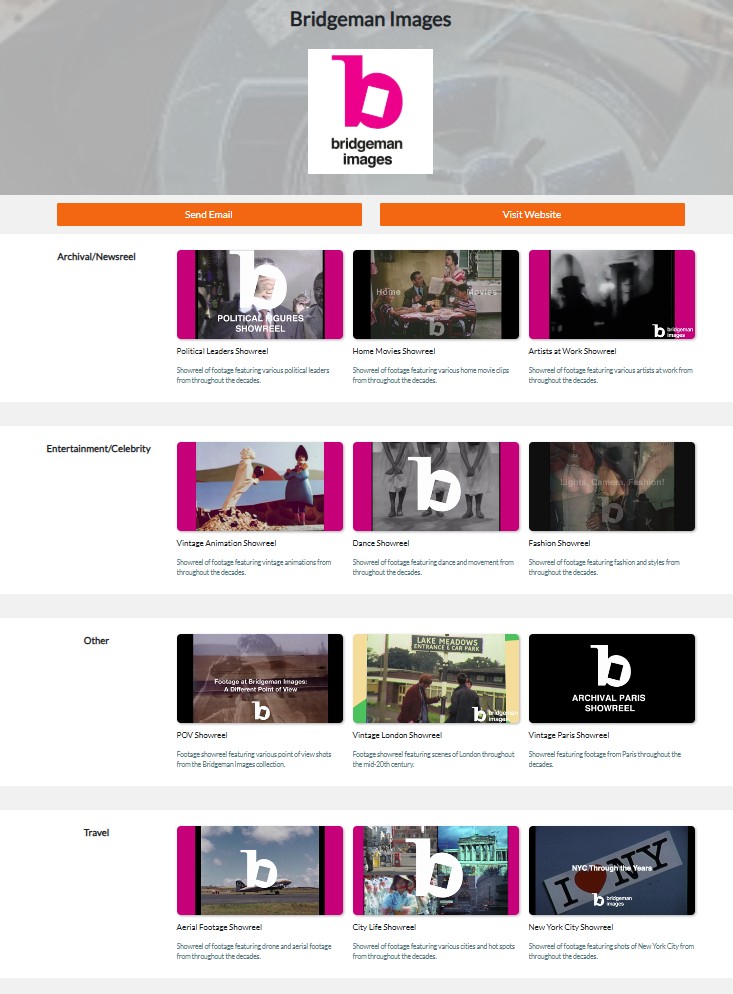
For a nominal fee of $300 per year, you can add your reels/clips to your listing. Being a Premium Member allows you to add three video reels for each category you assigned to your business. These reels often serve as validation and a trust signal of the quality of work you do for each respective category. This often leads to higher engagement and better conversion rates for our Premium Subscribers.
Premium listings will also benefit from future iterations of the website as we continuously seek to provide more leads to our partners.
To request a premium listing you can simply email us at info@footage.net.
That's It! You Can Now Showcase Your Business on Footage.net
In just a few simple steps you now have the ability to reach thousands of users for free. If you have any questions or recommendations for improvement reach out to us at info@footage.net.